Category:
Dealer Portal
- Navigate to https://dealer.ctiproducts.com
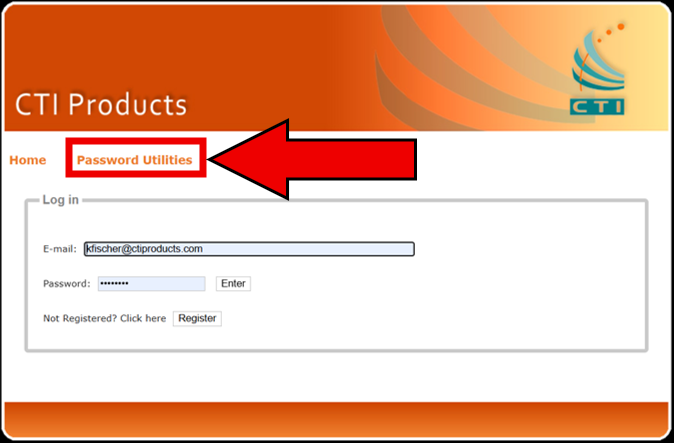
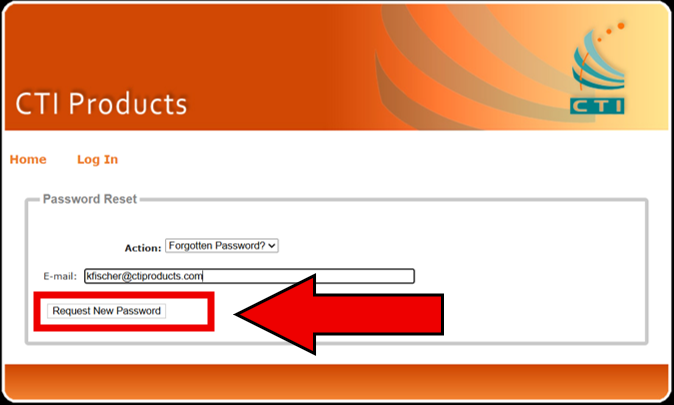
- Click Password Utilities
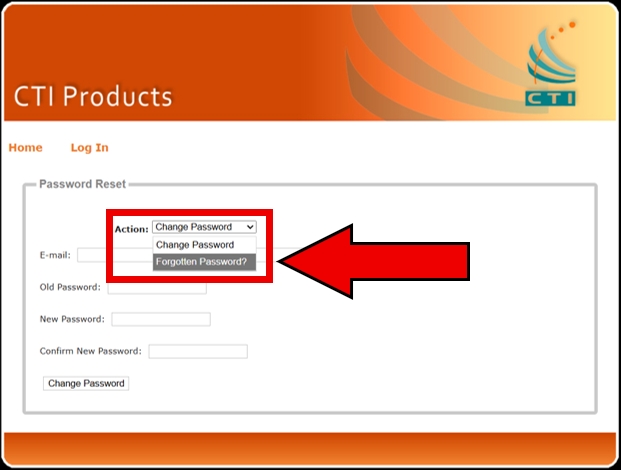
- From the Action dropown, choose Forgotten Password.
- In the E-mail field enter the email address you used when registering as a RadioPro dealer.
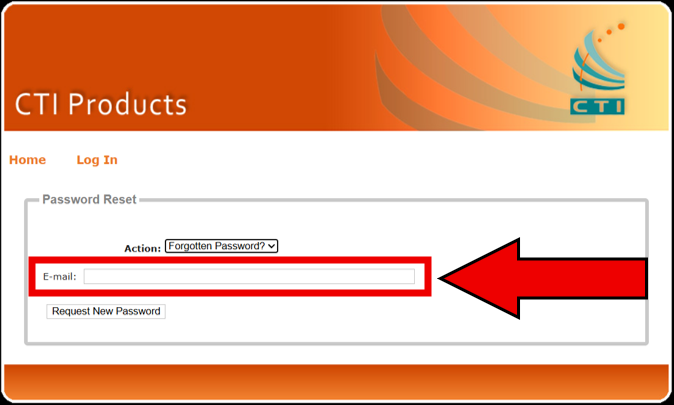
- Click the Request New Password button
A password reset email will be sent to you. It may take several minutes to arrive.
If you do not see the email, please check your spam or junk folder. In some cases, password reset emails may be intercepted by your organization’s spam filter.
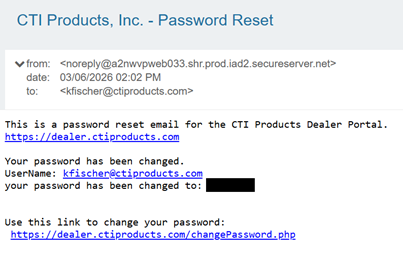
Example Password Reset Email: