
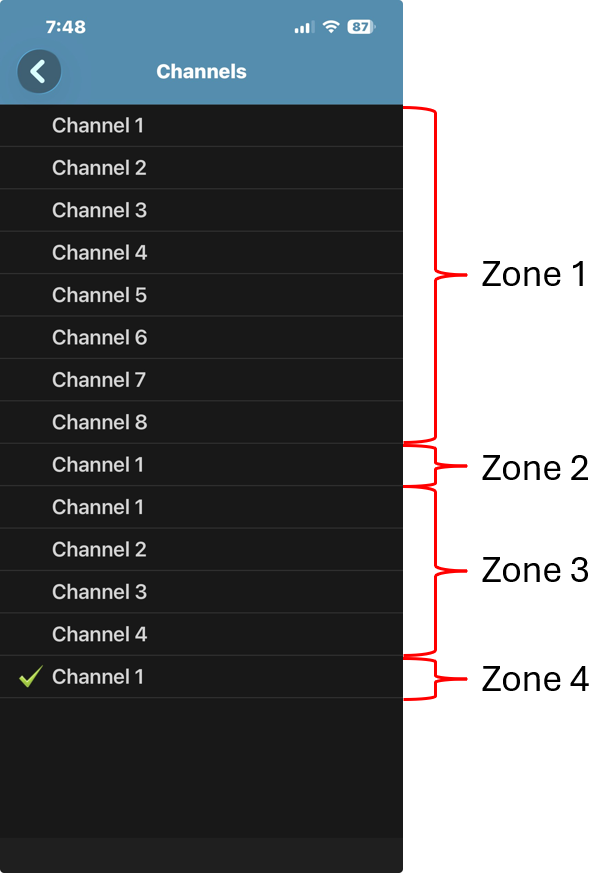
For Motorola MOTOTRBO systems, the RadioPro Talk app does not display zone names.
Instead, RadioPro Talk presents a single list of all available channels. Users can still select (channel steer) to any channel that is marked as visible in the system configuration.
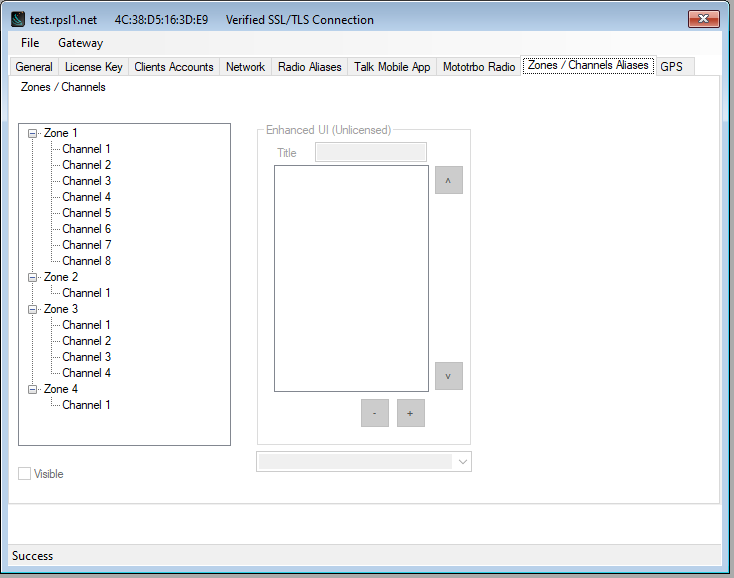
Channel visibility is controlled in the IP Gateway Configuration Utility (ICU).
ICU Configuration Example
RadioPro Talk View
Why Zones Aren’t Shown
RadioPro Talk is designed to be simple and easy to use, especially for mobile users.
Showing zones would add extra steps and complexity, so the app combines everything into a single channel list.
How to Identify Zones (If Needed)
If you need to distinguish channels by zone, you can:
- Edit Channel Aliases in the ICU
- Include the zone name in the channel name
- Example: Zone 1 – Dispatch, Zone 2 – Tac 1
More Advanced Zone Control
Zone-based organization is fully available in:
- RadioPro Dispatch
- RadioPro Solo
These applications provide more detailed control and are better suited for desktop or advanced users.
Additional Information
See: RadioPro IP Gateway Installation Guide for Motorola MOTOTRBO for additional information: